
Manage the event from one workspace.
Bring event details, sessions, speakers, attendees, and organizations together. Track what is ready and what needs attention.
 Thinkwire™
Explore your Real Estate Finance Summit agenda, discover people to meet, and manage your meetings in one place.
First time? Use the invitation in your email to set up your account.
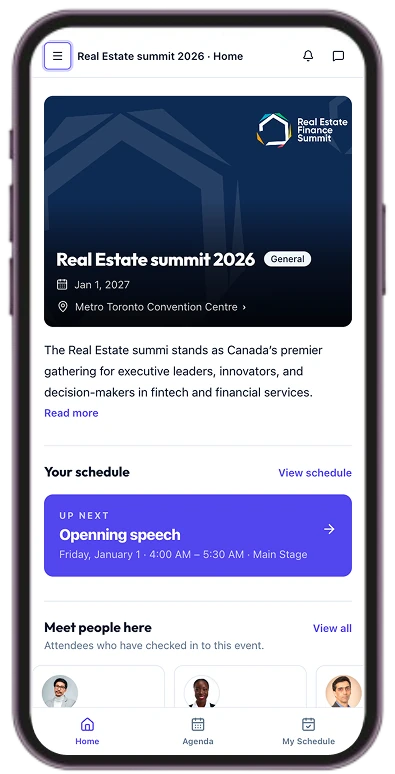
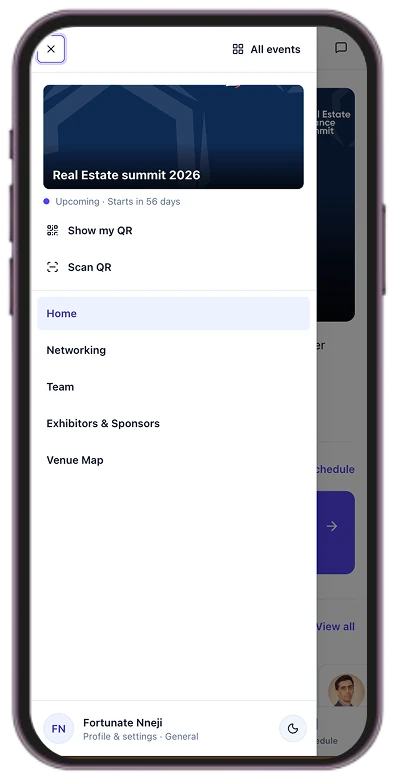
Thinkwire™ gives organizers a structured workspace to manage events and gives attendees the tools to find relevant people, plan meetings, and follow up.
Bring event details, sessions, speakers, attendees, and organizations together. Track what is ready and what needs attention.
Give attendees a clear view of the agenda, event updates, relevant contacts, and meeting plans.
Help attendees identify people and organizations worth meeting, using professional context to support more focused conversations.
Give attendees one place to review the agenda, receive event updates, view professional profiles, and manage meetings.



Manage the agenda, people, and organizations in one place. Track event details and priorities from initial setup through showtime.
AgendaOpening perspectivesMain stage · 45 min
PublishedBuilding conviction in an uncertain marketHarbour room · 45 min
PublishedInvestor lunch & introductionsGallery · 60 min
DraftHelp attendees arrive prepared, identify relevant contacts, and use event time for focused conversations and meetings.



Event moments
How it works
Organizers and attendees use connected tools around the same event, keeping schedules, people, and event information in one place.
Before the event
Build the agenda, confirm speakers, and organize attendee and organization information in a shared workspace.
During the event
Publish schedule updates and help attendees see what is happening, where they need to be, and which meetings they have planned.
After the event
Keep professional contacts and relevant event context available so attendees can continue conversations after the event.
Thinkwire™
Bring event planning, the attendee experience, and professional networking together with Thinkwire™.